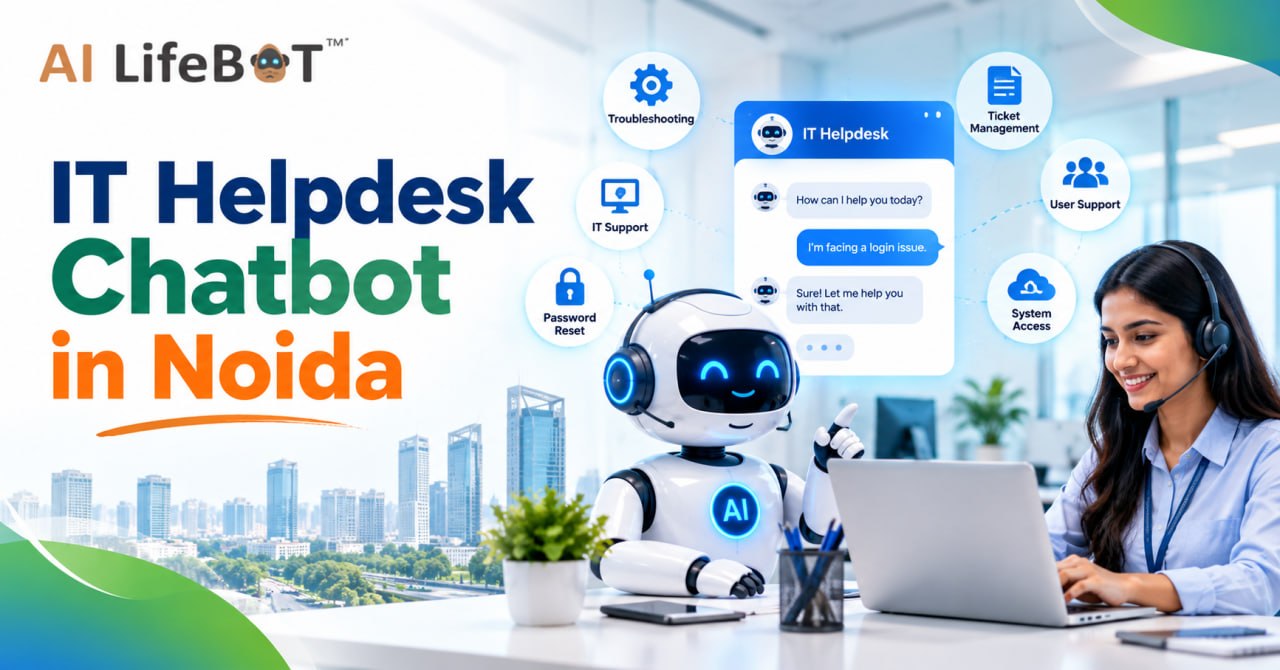
IT Helpdesk Chatbot in Noida
An IT Helpdesk Chatbot in Noida helps businesses simplify technical support by providing quick answers, guiding employees through troubleshooting steps, and automating repetitive IT requests. Instead of waiting for a support representative, employees can access relevant information through a conversational interface.
AI LifeBot helps businesses explore AI-powered conversational solutions that can make information and support services more accessible. By incorporating chatbot technology into IT support workflows, organizations can improve response times, reduce repetitive work, and create a smoother employee experience.
1. What is an IT Helpdesk Chatbot?
An IT helpdesk chatbot is a virtual assistant designed to answer technical questions and help users resolve common IT-related problems. Depending on its capabilities, it may use artificial intelligence (AI), natural language processing (NLP), and integrations with existing business systems.
Key Functions of an IT Helpdesk Chatbot
Answering Technical Questions
Provides information about software, hardware, applications, VPN setups, and internal workplace IT policies.
Password Reset Guidance
Directs employees to approved, secure password recovery procedures and self-service portals instantly.
Troubleshooting Assistance
Offers interactive step-by-step instructions for diagnosing common network, software, and hardware issues.
Ticket Creation
Collects problem details, error logs, and priority levels, creating support tickets through compatible helpdesk systems.
Request Tracking
Shares live ticket updates and status changes when connected to the relevant support platform.
2. Why Do Businesses in Noida Need IT Helpdesk Chatbots?
Noida has a diverse business environment that includes IT companies, tech startups, educational institutions, healthcare organizations, and large corporate offices.
Eliminate Downtime
Prevent employee productivity bottlenecks by providing immediate self-service IT resolutions around the clock.
Major Reasons to Adopt Chatbot Technology
a. Increasing IT Support Requests
Employees frequently report similar issues like login failures, email errors, and app access. A chatbot resolves them automatically.
b. Faster Employee Assistance
Employees receive immediate guidance for supported issues instead of waiting in queue for an available helpdesk agent.
c. Reduced Workload for IT Teams
Automating repetitive questions allows technical staff to concentrate on complex infrastructure, deployments, and cybersecurity.
d. Improved Workplace Productivity
Quick access to IT guidance helps staff address minor technical hiccups and return to their regular core tasks sooner.
3. Key Benefits of an IT Helpdesk Chatbot
Implementing an IT helpdesk chatbot delivers significant operational benefits when configured according to your organization's IT architecture.
a. 24/7 Access to IT Information
Technical problems can occur outside regular office hours. A chatbot provides continuous access to FAQs, approved troubleshooting guides, and internal documentation anytime.
b. Faster Resolution of Common Problems
Guide employees through simple troubleshooting without an agent for every request. E.g., if Wi-Fi won't connect, the bot provides instant approved network diagnostic steps.
c. Reduced IT Support Costs
Handling repetitive tickets manually consumes expensive staff time. Chatbot automation cuts operational overhead and optimizes technical resource allocation.
d. Consistent Technical Guidance
Connected to an updated knowledge base, the bot provides standardized, accurate answers based on company documentation, ensuring consistent guidance across all departments.
e. Better Employee Experience
Fast responses and effortless access to technical solutions eliminate frustration, empowering staff to complete critical work without prolonged IT interruptions.
4. Essential Features of an Effective IT Helpdesk Chatbot
Businesses should evaluate chatbot features carefully before selecting a corporate IT support solution.
a. Natural Language Processing (NLP)
Enables the chatbot to interpret questions in everyday language. E.g., asking "Why is my email not opening?" triggers relevant diagnostics naturally.
b. Automated Ticket Management
Logs unresolved queries directly into Jira, ServiceNow, Zendesk, or Freshdesk, assigning categories and severity levels automatically.
c. Knowledge Base Integration
Connects with internal knowledge bases (Confluence, Notion, SharePoint) to extract and deliver up-to-date SOPs directly in conversation.
d. Human Support Escalation
Smoothly hands off complicated or mission-critical hardware failures to live IT engineers with full conversation logs attached.
e. Security and Access Controls
Integrates with enterprise SSO, Active Directory, and role-based permissions to protect confidential company networks and data.
5. How AI LifeBot Can Help with IT Helpdesk Chatbots
Depending on your chosen configuration and available business systems, chatbot-based workflows support key operational activities:
a. Automating Routine Queries
Answer common questions about software installations, VPN setup, email access, company equipment guidelines, and workplace policies.
b. Providing Guided Troubleshooting
Conversational workflows guide employees through approved steps for diagnosing and resolving common technical problems reliably.
c. Simplifying Support Requests
Collect relevant issue details, error screenshots, and diagnostic logs automatically, passing them directly into your ticketing system.
d. Supporting Business Growth
As headcounts scale across branches in Noida, automation absorbs high ticket volumes without overburdening your internal IT teams.
6. Industries That Can Benefit from IT Helpdesk Chatbots
Different industries use chatbot technology to streamline and modernize internal technical support.
IT & Software Companies
Help developers and staff with IDE access, Git credentials, staging servers, and internal developer tooling requests.
Healthcare Organizations
Provide authorized clinical and admin staff with guidance on approved hospital systems, EHR logins, and workstation security.
Educational Institutions
Assist students, teachers, and administrative personnel with LMS platforms, password resets, and digital classroom logins.
Corporate Offices
Support staff with email configurations, Teams/Zoom conferencing issues, network printing, and office workstation apps.
Manufacturing Businesses
Help warehouse and plant teams report technical issues affecting workplace systems, barcode scanners, and inventory ERPs.
7. How to Choose the Right IT Helpdesk Chatbot in Noida
Selecting an appropriate chatbot requires evaluating capabilities and compatibility with existing workplace systems.
Identify Common IT Problems
Review previous support tickets to determine repetitive tasks most suitable for immediate automation.
Check Integration Options
Confirm native compatibility with ticketing tools, messaging apps (Slack/Teams), and knowledge bases.
Evaluate Security
Review MFA/SSO authentication, role-based access controls, data retention, and enterprise compliance.
Test Response Quality
Ensure chatbot instructions are clear, technically accurate, step-by-step, and genuinely useful to staff.
Measure Performance
Track response times, ticket deflection rate, staff satisfaction, and self-resolution success rates.
Maintain Human Support
Establish seamless, guaranteed escalation channels to live senior IT technicians for complex incidents.
Frequently Asked Questions
Everything you need to know about implementing an IT Helpdesk Chatbot in Noida.
Conclusion
An IT Helpdesk Chatbot in Noida can help businesses simplify technical support, automate repetitive queries, improve employee productivity, and provide easier access to IT information. Features such as NLP, automated ticket management, knowledge base integration, and human escalation can make support workflows more efficient.
AI LifeBot can be explored by businesses looking to understand how conversational AI may support their digital transformation and automation initiatives. By identifying common IT challenges and selecting suitable chatbot capabilities, organizations can create a more accessible and organized support experience.